

Fortnite
+97%
FPS
Stock 610
Nodus 1200
High impact· 1080p
1% lows +139%
Nodus is the all-in-one optimization app for your PC. Boost performance,
fix issues, and get the most out of your system with powerful, easy-to-use tools.
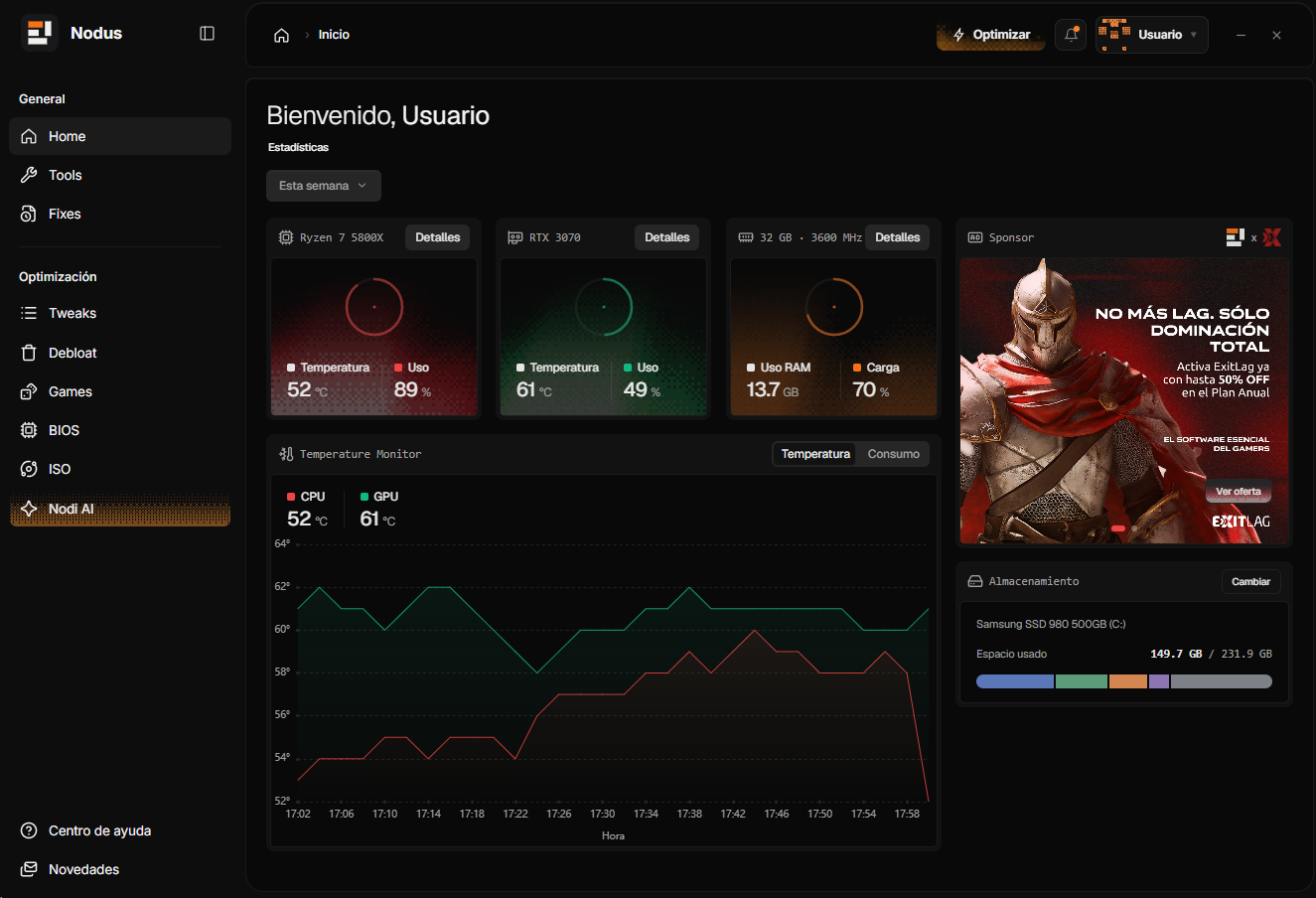
Focused controls for performance, latency and system cleanup — without turning Windows into a science project.
Hardware-aware tuning for supported CPUs and GPUs, built around stability, temperatures and repeatable performance instead of random values.
Release unnecessary memory pressure, reduce background activity and cut telemetry while keeping the apps you actually use intact.
Prioritize the active game, trim nonessential background work and apply game-focused settings for cleaner frame times and lower latency.
Nodus configures your BIOS through SCEWIN, applies advanced kernel-mode and system tweaks and deeply modifies the registry — all from the app, with fixes, debloat and diagnostics working as one system.
Nodus shows you what it is about to change before it changes it — and writes a restore point on the way in.
Nodus reads your hardware, drivers, services and power state, then ranks what is actually costing you performance instead of running a generic checklist.
Pick a profile — Balanced, Competitive or Silent — or single tweaks. The app applies it all itself: BIOS via SCEWIN, kernel-mode tweaks and deep registry changes.
Compare average FPS, 1% lows and boot time before and after, so you keep what worked and roll back what did not in one click.
Reference rig: Ryzen 7 9800X3D, RTX 4070 Ti, 32 GB DDR5-6000, Windows 11 24H2. Competitive profile, 1080p, identical settings on both runs.
These numbers come from our own reference machine and will not transfer one to one to yours — a system that is already clean has far less headroom to recover. Nodus records your own before and after so you can judge it on your hardware.
Nodus Pro, Core and Pro+ are Nodus app memberships, not services. Nobody connects to your PC remotely — the Nodus app applies every optimization itself.
Lifetime membership with permanent access to the advanced Nodus optimization toolkit.
2-month membership: the app cleans Windows, cuts latency and configures your BIOS through SCEWIN.
3-month membership with the app's deepest modules for maximum competitive performance, stability and lower input lag.
No services, no remote access: once you activate your membership, the Nodus app makes every change on your PC itself — BIOS configuration through SCEWIN, advanced kernel-mode and system tweaks, and deep registry modification.
The questions people actually send us. Anything missing, ask in the Discord.
Nodus does not touch game memory, inject into processes or hook rendering. It changes Windows settings, services and power policy — the same things you could change yourself. No third party can promise how a given anti-cheat will behave, so the overlay is optional and off by default.
Every change is journaled with its previous value before it is applied, and a restore point is created at the start of any profile run. You can revert one tweak, one profile, or everything Nodus has ever done — without reinstalling.
Only if you enable auto game detection or thermal watch. With those off, closing the window ends every Nodus process. There is no separate updater service and no scheduled task left behind.
No. Nodus Pro, Core and Pro+ are app memberships, not services, and there is no remote access of any kind. The Nodus program does all the work on your PC: it configures the BIOS through SCEWIN, applies advanced kernel-mode and system tweaks and deeply modifies the registry. The memberships differ in how long they last and which modules they unlock.
Windows 10 (1909 and later) and Windows 11, on x64 and ARM64. BIOS configuration through SCEWIN requires a compatible motherboard, and some options are desktop only. Windows Server is untested and unsupported.
Memberships are for personal use on your own PC. For workshop or multi-client use, contact us for a separate arrangement.
Download the free core, run one scan, and see what your machine has been leaving on the table. One click puts everything back.